If your team is juggling job walks, procurement, inspections, and subs — you know the smallest...
.png?width=1080&height=810&name=1%20(23).png)
Are you drowning in scattered spreadsheets, endless email threads, and frantic text messages every time you plan an event? Whether you're coordinating a corporate launch, managing hospitality logistics, or handling administrative event tasks, the difference between a successful event and a disaster often comes down to one thing: process.
In the fast-paced worlds of Marketing, Hospitality, and Admin, relying on memory or disjointed tools is a recipe for burnout.
That’s why we’re breaking down how to ditch the chaos and build a repeatable, scalable Event Management Workflow using TaskTag. By centralizing your logistics, catering, and promotions into one intuitive platform, you can ensure every event is executed flawlessly.
Why You Need a Standardized Event Workflow
Before we dive into the "how," let's talk about the "why."
In project management, consistency is king. Without a standardized template, every new event means reinventing the wheel. That leads to:
- Missed deadlines: Critical tasks falling through the cracks
- Communication silos: Vendors and teammates working on outdated info
- Lack of accountability: No clear audit trail for approvals and decisions
By digitizing your workflow with TaskTag, you create a single source of truth that saves time, reduces stress, and elevates your results.
How to Master Event Planning with TaskTag: A 5-Step Workflow
Here’s your blueprint for planning and executing events using TaskTag’s chat + checklist methodology. This workflow is designed to replace tools like Asana, Trello, or Google Sheets with something faster and mobile-friendly.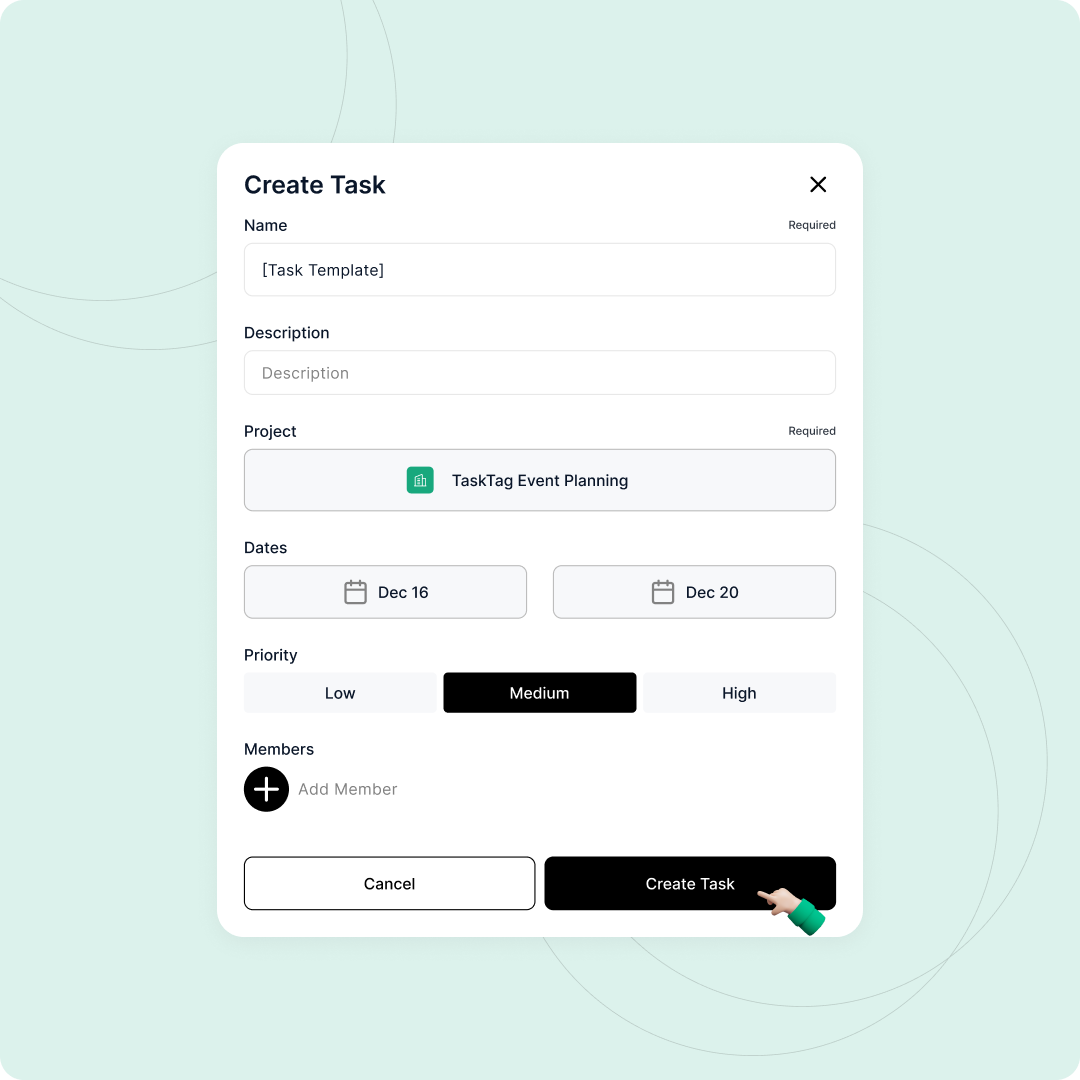
Step 1: Build Your "Master Blueprint"
Stop starting from scratch. The secret to efficiency is the Project Template.
Action: Create a new project in TaskTag called Event Template – Master.
Include tasks like:
- Book Venue
- Confirm Catering
- Design Promo Materials
- Upload Floor Plan
Inside each task, add checklists (e.g., under Catering: Select menu → Confirm dietary needs → Sign contract).
Team Tip: Add your core team (logistics, marketing, admin) up front so they’re always ready to go.
Step 2: Duplicate for Repeatable Success
When a new event is confirmed (e.g., Q1 Launch Party), don’t manually rebuild your plan.
Action: Click Duplicate Project on your Master Template.
Customize:
- Rename it to
Q1 Launch Party – Jan 25 - Update due dates
- Swap in event-specific files
Benefit: You’ll never forget to "Book the Photographer" again—it’s already in the template.
Step 3: Centralize Communication (No More Lost Emails)
Forget digging through your inbox. TaskTag lets you chat where the work happens.
Action: Create a Group Chat for your event (e.g., #q1-launch-party).
Assign tasks instantly:
@Lisa please take #Confirm-Catering@Darren please finalize #Book-Venue by Friday
Why it works: Everyone sees their assignments without needing a meeting. Work becomes visible and actionable.
Step 4: Manage Files and Approvals in Context
In Marketing, Admin, and Hospitality, document control is critical.
Action: Upload files directly to their relevant task.
- Floor plans →
Venuetask - Signed contracts →
Legal/Financetask - Menus →
Cateringtask
Approvals: Use task comments to log approvals (e.g., "Client signed off on the buffet menu"). Everything stays in one place.
Step 5: Execute, Complete, and Report
As the event date nears, shift from planning to execution.
Action:
- Check off each task
- Upload proof: photos, receipts, PDFs
- Mark tasks as ✅ complete and confirm in chat (e.g.,
#Confirm-Catering ✅ done)
Audit-Ready: Export a Project Report (PDF) at the end. You’ll have a full history of what happened, who did it, and when it was done.
The Business Impact
Implementing this Event Planning Workflow in TaskTag does more than just streamline your work—it transforms your operations.
Full Visibility
Stakeholders can track progress without chasing down updates.
Faster Onboarding
New team members follow the template—no training required.
Seamless Collaboration
Internal teams and external vendors stay on the same page.
Ready to Streamline Your Next Event?
Stop managing events in your head or your inbox. Bring structure to the chaos with TaskTag.
👉 [Download TaskTag] and start building your Event Master Template today.
.png?height=200&name=3%20(3).png)