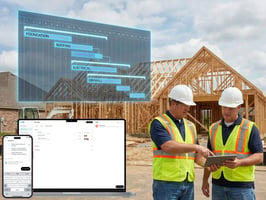
No new apps. No spreadsheets. Just tap, tag, and track it all in one place. The Challenge With...
-1.png?width=1080&height=810&name=1%20(16)-1.png)
Roofing projects move fast—and mistakes get expensive even faster. Between weather windows, material lead times, crew coordination, inspections, and closeout documentation, roofing project management isn’t just “project management, but for roofs.” It’s a high-variance, high-accountability workflow where the best teams win by staying organized in the field, not by polishing spreadsheets in the office.
If you’re evaluating tools (or reading construction management blogs trying to find what actually works), these are the top 5 features that separate “nice software” from software that gets adopted on a roof replacement and keeps the job moving.
Along the way, I’ll also call out how TaskTag supports these workflows—because the best tools don’t just store info, they help crews and managers actually execute.
Why roofing teams need specialized project management features
Roofing has a few realities that generic tools often miss:
- Documentation matters (warranties, change orders, pre-existing conditions)
- Work gets covered up quickly (you need proof before it disappears)
- Inspections and punch items are constant (flashing details, penetrations, edge conditions)
- Communication is time-sensitive (weather delays, deliveries, safety)
- Multiple parties need visibility (GC, subs, owner, manufacturer, inspector)
That’s true everywhere, but it’s especially obvious for general contractors in Houston, where storms, heat, and scheduling complexity can compress timelines and amplify risk.
The Top 5 Features to Look For
1) Field-first communication that turns into trackable work
Roofing doesn’t happen at a desk. The tool needs to work where decisions are made: the jobsite.
What to look for
- Fast mobile workflow
- Clear project threads or channels
- The ability to turn a message into an assigned task (with due date, owner, status)
Why it matters
If issues live in chat but tasks live somewhere else, follow-ups get missed. For roofing, that can mean:
- incomplete flashing details
- missed safety fixes
- “we’ll get it later” punch items that never get closed
TaskTag angle (branded)
TaskTag is designed so jobsite communication can become structured work—so when someone says “Need counterflashing at parapet,” it doesn’t vanish in a text thread.
2) Construction photo documentation software (tagged, searchable, defensible)
Roofing is proof-driven. When something is questioned later, the difference between “we did it” and “here’s the proof” is massive.
What to look for
- Photo capture inside the workflow (not separate camera-roll chaos)
- Tagging by location, detail type, trade, issue status
- Fast search (by tag, date, user, project area)
- Before/after pairs
Why it matters (roof replacement examples)
- Document deck condition and repairs before underlayment
- Capture underlayment laps and penetrations
- Prove flashing/termination details
- Validate punch fixes
This is where true construction photo documentation software pays for itself—less dispute time, faster approvals, and smoother closeout.
TaskTag angle
TaskTag makes photos easy to tag and retrieve later, which is exactly what you need when an owner asks for proof months after completion.
3) A repeatable inspection workflow (capture → assign → verify)
.jpg?width=600&height=450&name=2%20(3).jpg)
Every roofing project has micro-inspections: pre-install checks, manufacturer requirements, safety checks, and punchlist cycles.
What to look for in an inspection workflow
- Checklists/templates (so every job gets the same standard)
- Findings that convert into tasks instantly
- Photo-required items (before/after)
- A “verified” state (not just “done”)
Why it matters
If your inspection workflow is informal, you’ll see:
- repeat defects across jobs
- inconsistent QA
- slow punch closure
A good tool makes the inspection process consistent without making it bureaucratic.
4) Schedule visibility that supports CPM project management (without being heavyweight)
You don’t need every roofer building a network diagram—but you do need schedule logic and visibility, especially when roofing impacts other trades.
What to look for
- Milestones and dependencies (even lightweight)
- Ability to flag blockers (weather, material delays, access issues)
- Clear “what’s next / what’s late / what’s blocked”
- Weekly plan view and quick updates from the field
Why it matters
Even if your company uses formal CPM project management at the GC level, roofing teams still need a field-friendly layer that connects schedule to reality and documentation.
Practical example
If tear-off slips by one day due to weather, you need:
- updated next steps
- new crew plan
- documentation for delay reasons (photos help)
5) Labor & productivity support (even if you use other tools)
Roofing margins are sensitive to labor efficiency. Not every roofing PM tool includes labor tracking, but it should integrate into how you manage production.
What to look for
- Crew assignment and daily production notes
- Simple daily logs (what got done, where, by whom)
- Exportable reports for job costing
- Integrations or clean workflows with time tracking
Why include this here?
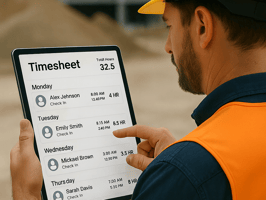
Because roofing often overlaps with other exterior scopes. Many contractors already use time tracking software for landscaping or other specialty tools for labor, and they want roofing PM tools that won’t create a second, conflicting system.
Bottom line
Even if you keep time tracking separate, your roofing PM tool should still support daily progress capture and crew accountability.
Quick checklist: what “good” looks like in one sentence
.jpg?width=600&height=450&name=1%20(6).jpg)
The best roofing project management tools help you: communicate fast, document proof, standardize inspections, keep the schedule honest, and track execution in the field.
That’s the standard to hold any platform to—TaskTag included.
Relevant Article: Roof Replacement Guide: Timeline, Cost, and Red Flags to Avoid
FAQ: Roofing Project Management Tools
1) What is roofing project management?
It’s the planning and execution process for roofing work—coordinating crews, materials, schedule, inspections, safety, documentation, and closeout across the full project lifecycle.
2) What’s the most important feature for a roof replacement project?
For a roof replacement, the top two are usually:
- construction photo documentation software (proof at each stage), and
- a strong inspection workflow (capture → assign → verify).
They prevent rework and reduce disputes.
3) Can a roofing PM tool replace CPM project management?
Not always. CPM project management is often run at the GC/program level to coordinate multiple trades. Roofing PM tools should support CPM by making field progress and blockers visible and verifiable.
4) How does photo documentation reduce disputes?
Tagged, time-stamped photos tied to tasks/locations create an audit trail. Instead of debating what happened, you can show the sequence (before, during, after) and resolve issues faster.
5) Do general contractors in Houston need anything different?
The fundamentals are the same, but fast weather shifts and tight schedules make speed, documentation, and clear communication even more critical for general contractors in Houston coordinating subs and inspections.
6) What should an inspection workflow include?
At minimum: templates/checklists, photo-required findings, instant task creation, ownership + due dates, and a verified/closed step with before/after evidence.
7) What if my company already uses time tracking software for landscaping or other trades?
That’s common. Your roofing PM tool should still capture daily production and progress, and ideally integrate or export cleanly so you don’t duplicate labor workflows.
8) How does TaskTag help roofing teams specifically?
TaskTag helps teams keep jobsite work organized through communication: convert messages into tasks, tag and find photos quickly, and keep inspection items moving from “found” to “verified.”
.jpg?height=200&name=1%20(3).jpg)