
.jpg?width=1080&height=810&name=1%20(3).jpg)
Whether you're a homeowner hiring a team or a contractor managing a crew, a roof replacement project is one of the most important (and costly) tasks on any property. Get it right, and you add decades of weather-tight durability. Get it wrong, and you're facing liens, leaks, or worse — lawsuits.
At TaskTag, we build tools that make roof replacement projects predictable, trackable, and transparent. In this guide, we’ll walk through everything you need to know about:
- A reliable roof replacement timeline
- Average cost ranges and budgeting
- Common red flags to avoid
- Plus, how to run the entire project inside a modern project management tool
Let’s get into it.
Roof Replacement Timeline (Step by Step)
.jpg?width=800&height=600&name=1%20(4).jpg)
A typical residential roof replacement follows these key phases:
|
Phase |
Duration |
What Happens |
|
Project Planning |
1–3 days |
Estimate, proposal, contract approval |
|
Tear-Off |
1 day |
Demo of existing shingles, underlayment |
|
Deck Inspection + Repair |
0.5–1day |
Replace any rotten decking or soft spots |
|
Underlayment & Flashing Install |
1 day |
Ice and water shields, drip edges,flashing |
|
Shingle Installation |
1–2 days |
Layer-by-layer roof install |
|
Final Cleanup & Inspection |
0.5 day |
Debris removal, final walkthrough |
Total Time: 3–5 days (average residential roof in fair weather)
Pro Tip: For commercial or multi-unit roofs, use CPM project management methods with tools like TaskTag to manage trade dependencies and vendor delays.
Roof Replacement Cost Breakdown
Costs depend on size, materials, slope, and local market rates, but here’s a rough estimate for 2026:
|
Cost Type |
Range |
|
Asphalt Shingle Roof |
4.50–4.50–4.50–6.50 per sq ft |
|
Metal Roof |
8–8–8–14 per sq ft |
|
Flat/TPO Roofing |
6–6–6–10 per sq ft |
|
Average Residential Roof |
9,000–9,000 – 9,000–18,000 total |
Add 5–10% extra for:
- Decking replacement
- Flashing upgrades
- Unforeseen repairs
With TaskTag: Create itemized checklists and attach install/delivery photos using construction photo documentation software to show clients exactly where costs are going.
Red Flags to Watch Out For
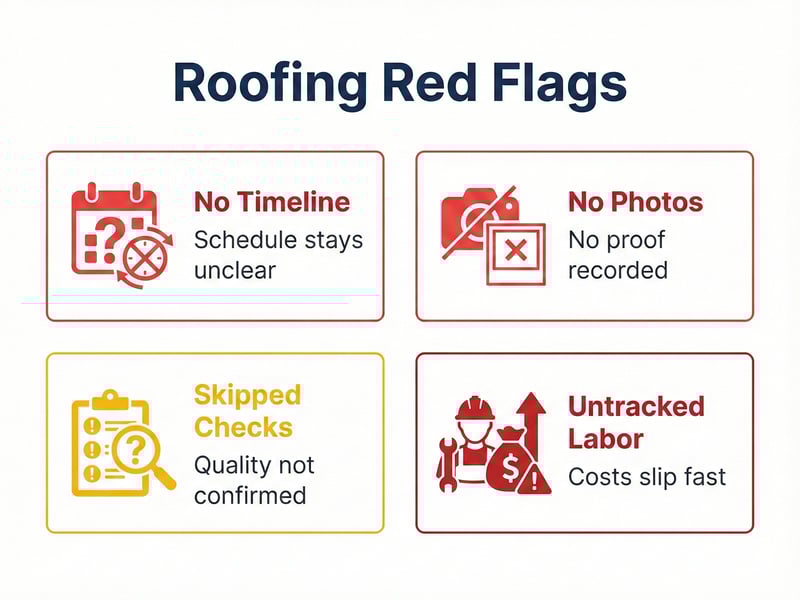
1. No Written Timeline
Verbal estimates won’t cut it. Use shared tools like TaskTag to provide a project timeline everyone understands.
2. No Photo Documentation
If there’s no before/after evidence, it’s hard to validate quality — especially for underlayment and flashing, which you’ll never see again once shingles go on.
3. Missing Inspection Workflow
Make sure pre- and post-install inspections are standardized. Skipping inspections leads to costly redos. TaskTag’s inspection workflow templates help avoid these gaps.
4. Unmonitored Labor Time
Roofing delays = serious profit loss. Use time tracking software for roofing or landscaping crews to reduce idle time and increase accountability.
Tools for Easier Roofing Project Management
Relevant Article:
Day in the Life of a Roofing Project Manager
Inside TaskTag, roofing contractors can:
- Upload checklists for full-team use
- Assign each crew their portion of the job with deadlines
- Attach & timestamp photos for documentation
- Collaborate in real-time via mobile or desktop
- Track estimated vs actual labor using check-ins and time-tracking tools
Used by general contractors in Houston, TaskTag offers a streamlined toolkit built for jobsite speed, insurance compliance, and repeatable templates.
That's why TaskTag is becoming a favorite in roofing project management for contractors across the U.S.
Bonus: Template for Your Roofing Project
Here’s a roof replacement workflow you can use in TaskTag:
- Pre-Job Checklist (client approval, material order, weather check)
- Tear-Off Crew Assignments (with estimated labor hours)
- Deck Analysis Form & Upload
- Underlayment Verification Checklist
- Final Inspection & Client Sign-Off
Frequently Asked Questions (FAQ)
Q: Is TaskTag just for roofing, or can it handle broader construction work?
A: TaskTag is built for all types of field project management — including general construction, landscaping, remodels, and specialty trades.
Q: How do I keep crews accountable with photo proof?
A: Use TaskTag’s construction photo documentation software to attach geo-tagged, time-stamped images to each task — visible to both team leads and clients.
Q: Can TaskTag replace my paper checklists and clipboards?
A: Absolutely! Everything is digitized, assignable, and exportable. Save trees and miscommunications.
Q: What if I already use time tracking software?
A: You can phase into TaskTag gradually, starting with time tracking, then adding inspection workflows and templates as your team grows.
Need help organizing your next roof replacement the modern way?
👉 Book a free TaskTag demo today — and get hands-on with templates, tools, and task tracking that just works.