.jpg?width=1620&height=1215&name=1%20(1).jpg)

Why Construction Project Spreadsheets Can’t Keep Up With Modern Teams Let’s be honest, Excel and...
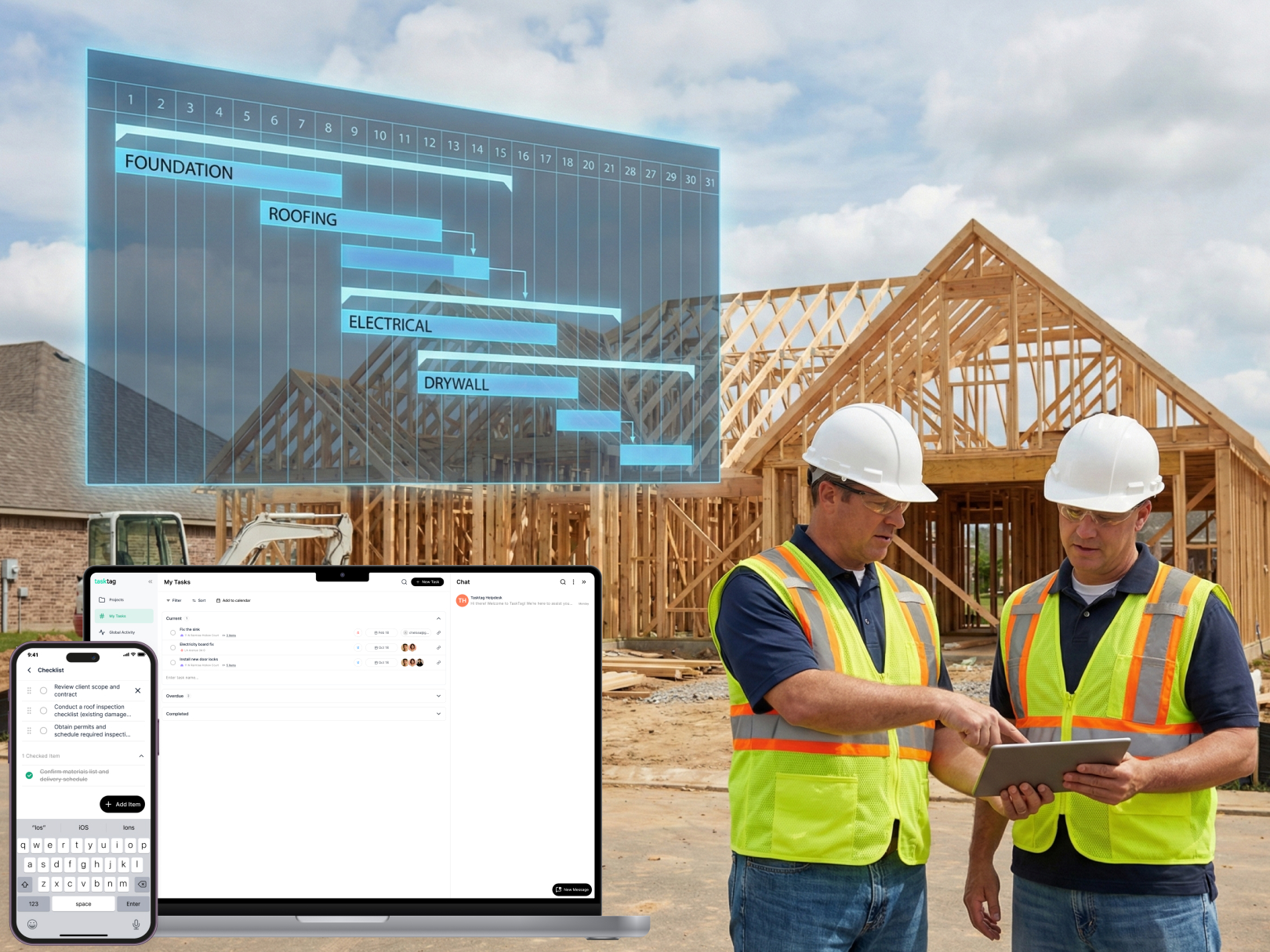
In construction, every hour counts — and every delay can cost more than time. That’s why more builders, subcontractors, and general contractors are upgrading from informal timelines to CPM project management systems: detailed, data-driven workflows that bring accountability and clarity across every stage of a job.
In this guide, we’ll break down:
- What CPM is (and isn't)
- Why it's one of the best approaches for complex construction timelines
- How to adopt it using modern tools like TaskTag
- Free CPM workflow templates designed for real-world teams
- FAQs for small-to-mid-sized contractors exploring CPM for 2026
Relevant Article: Tools for Construction: Names, Uses & Must-Haves for Every Job Site
What is CPM in Project Management?
CPM (Critical Path Method) is a scheduling technique that maps out every project task, identifies task dependencies, and highlights which ones are “critical” to the project delivery date.
The Critical Path = The longest chain of dependent tasks that determines the minimum time to complete the project.
If anything on that path is delayed, the whole job timeline shifts.
Why It Matters in Construction:
- Lets you anticipate delays before they happen
- Improves crew coordination across trades
- Helps GCs track progress more effectively
- Strengthens documentation (which clients, insurers, and city inspectors love)
2026 Benefits of CPM Project Management in Construction
|
Benefit |
Description |
|
More Accurate Scheduling |
Know exactly which tasks drive deadlines — not just rough estimates. |
|
Smarter Resource Allocation |
Assign crews where they’ll unblock progress fastest. |
|
Reduce Idle Time |
Prevent overlaps or crew downtime from poor sequencing. |
|
Improved Decision Making |
Spot where delays will actually impact delivery. |
|
Better Documentation |
Combine CPM timelines with construction photo documentation software for proof and accountability. |
|
🤝 Client Alignment |
Set expectations with visual, shared timelines your clients understand. |
Tools to Implement CPM Project Management
1. TaskTag for Task & Team Coordination
Used by general contractors in Houston, TaskTag brings CPM to life for project teams — pairing granular task tracking with photo documentation, time logs, and mobile checklists.
- Assign tasks with dependencies
- Use drag-and-drop scheduling (coming to templates)
- Attach photos, documents, and files per task
- Integrate with field checklists and inspection workflows
2. Gantt View/Calendar Integration
TaskTag can sync with Google, Outlook, and iCal to help field teams pull their critical path right into their daily calendar views.
3. Reporting & Export Tools
Export full task trees with timestamps and project status reports for:
- Investor updates
- Client meetings
- Insurance claims
- Internal progress reviews
Use TaskTag to Manage These Real-World CPM Flows
.jpg?width=1620&height=1215&name=1%20(2).jpg)
Roofing Project Management
From tear-off to underlayment, to flashing install through shingle sign-off — lay out your entire roof replacement schedule by dependencies, and avoid conflicts between crews.
Time Tracking for Landscaping Projects
Pair time tracking software for landscaping crews with scheduled task check-ins — so you can track both effort and delay risks in a single workflow.
Trade Coordination Across Subcontractors
Use our construction photo documentation software to confirm when one trade finishes and verify before the next starts, cutting delay risks on the critical path.
Free CPM Templates Inside TaskTag
- Residential Remodel Template
- Foundation → Framing → Interior → Final Punch
- Roof Replacement Schedule
- Demo → Deck Prep → Install Layers → Inspection Sign-Off
- Commercial Build Template
- Site Work → Structural Build → MEP → Final QA
All templates are editable, duplicable, and ready-to-use in TaskTag — just clone and customize for your team!
Frequently Asked Questions (FAQ)
Q: Is CPM only useful for large construction projects?
A: Not at all. Even small-scale projects with multiple steps (like residential renovations or landscaping installs) benefit from CPM once dependencies and handoffs grow complex.
Q: Do I need special training to use CPM in TaskTag?
A: Not at all! TaskTag ensures CPM planning is as easy as assigning tasks and setting “what comes first." More advanced Gantt and drag-drop scheduling is user-friendly and mobile-ready.
Q: How does TaskTag compare with traditional Gantt software like MS Project?
A: While MS Project is great for enterprise clients, TaskTag offers a construction-native solution — photo logs, inspections, templates, and checklist tools built for the field.
Q: Can CPM be used alongside inspection workflows?
A: Absolutely. Your inspection steps can be either part of the critical path or tracked as recurring compliance tasks. All tied to your timeline.
Want to see how CPM planning can remove last-minute chaos from your jobs?
👉 Book a free, personalized demo with TaskTag today