

Your CompanyCam feed shows a stop-work order perfectly. Here’s how to prevent one from ever being...
.png?width=1080&height=810&name=1%20(7).png)
Spreadsheets got you started but they won’t get you across the finish line.
Let’s be honest: spreadsheets are the comfort food of project management. When a new job starts, what’s the first thing we do?
We open Excel or Google Sheets.
We build out columns for “Task,” “Owner,” “Due Date,” and “Status.”
It feels organized. It feels productive.
For about a week.
Then reality hits:
- The “Status” column never updates on time.
- The real conversation is buried in an email chain 47 messages deep.
- Someone has a “newer version” of the spreadsheet saved to their desktop.
- Nobody knows where the final approved file actually lives.
Your spreadsheet isn’t a command center — it’s a digital graveyard of good intentions.
If this sounds familiar, you’ve hit the spreadsheet ceiling — the point where your most trusted tool starts working against you.
The good news? You don’t need to jump to some bloated enterprise system.
You just need a smarter, more collaborative way to manage projects.
You need TaskTag.
The Core Problem: Spreadsheets Are Mute
Why do spreadsheets stop working?
Because they’re silent.
They’re static.
They’re disconnected from the way real work happens.
-
No single source of truth
The task is in the sheet, the decision is in a Slack DM, the file is in a Teams chat, and the photo is on your foreman’s phone. -
Version control chaos
Project_Plan_v2_FINAL_USE_THIS_ONE.xlsx is a lie. You know it. Everyone knows it. -
Passive and unactionable
A spreadsheet doesn’t tell you what to do. It doesn’t ping you with updates. It doesn’t organize conversations. You have to constantly dig for answers.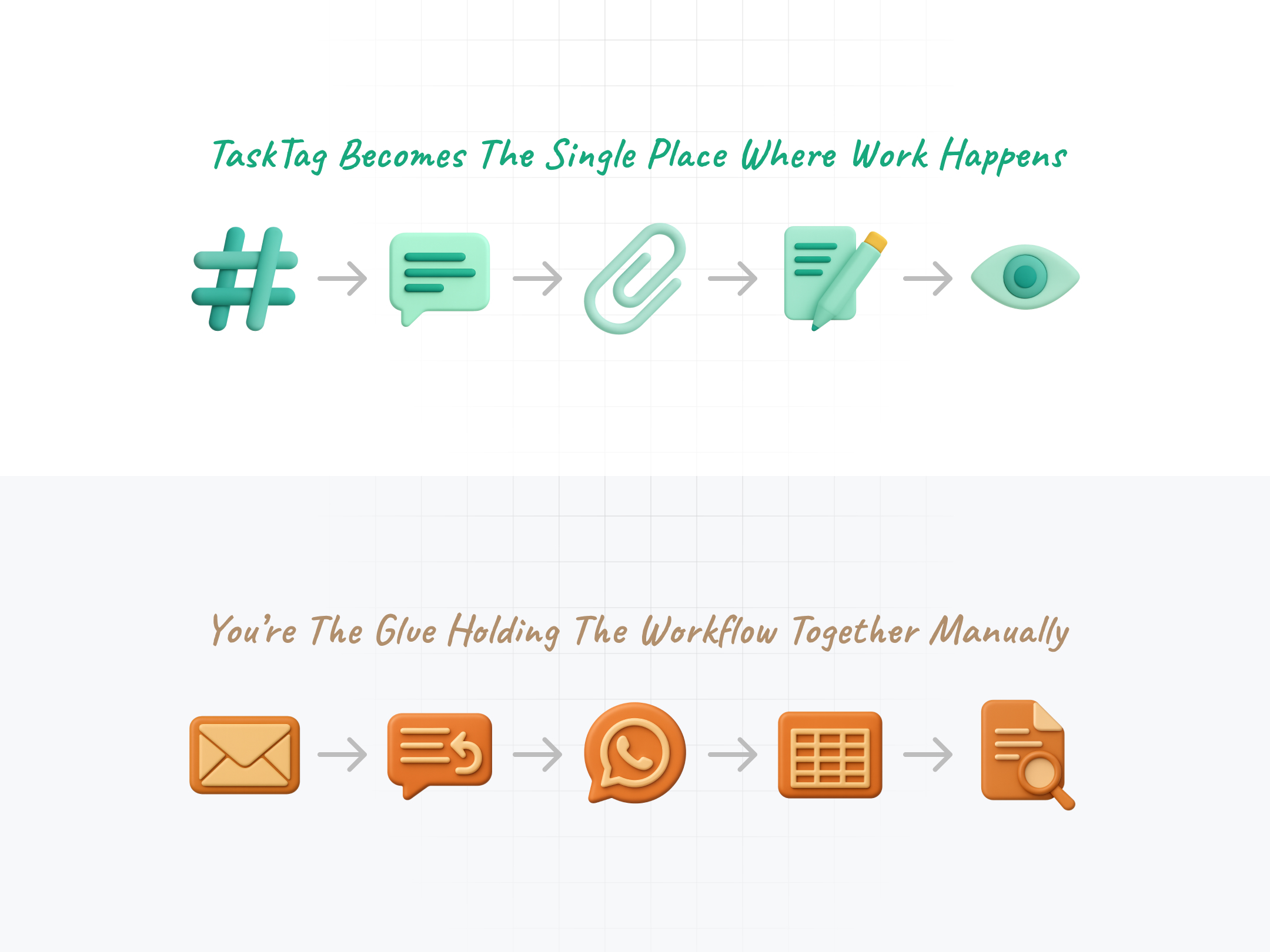
The Upgrade: TaskTag Turns Your List Into a Workflow Engine
TaskTag wasn’t built to replace spreadsheets.
It was built to replace everything spreadsheets are missing.
Here’s how:
Projects & Tasks: Organized from Day One
In TaskTag:
- Projects are your high-level containers (e.g., “Raintree Renovation,” “Q4 Rollout”).
- Tasks live inside projects and represent the real work.
You don’t scroll through hundreds of rows trying to find the right item.
You open the project and see exactly what matters.
Why it beats spreadsheets:
Clear hierarchy, no clutter, no confusion.
Integrated Chat & Check-Ins: No More Email Chains
Every project and every task can have its own chat thread.
- Chat: Ask questions, share info, and attach files—right where the work lives.
- Check-ins: Log fast, formal updates like “Client approved,” “Waiting on delivery,” or “On-site now.”
Why it beats spreadsheets:
The conversation stays with the task. No more digging through inboxes.
Linked Tags: The Killer Feature
TaskTag lets you tag chats to specific tasks or projects.
That means if a conversation starts in a general chat, and it turns into an action item, you can just tag it to the task.
Now, when someone opens the task, they see:
- The full context
- All attached files
- Every decision made
Why it beats spreadsheets:
Nothing gets lost. You have conversation + action, linked in one place.
Task Checklists: Break It Down, Keep It Moving
Some tasks are simple. Others are multi-step mini-projects.
Inside any TaskTag task, you can add a checklist like:
- Draft wireframe
- Review with client
- Get approval
- Send to dev team
Why it beats spreadsheets:
You see real progress—not just “Not Started / In Progress / Done.”
Before & After: Life With and Without TaskTag
The Spreadsheet Way
- You assign a task via email.
- Someone replies with a question.
- You loop in others via Slack.
- A file gets shared and lost.
- You update the spreadsheet manually.
- Your boss asks for an update. You spend 30 minutes gathering it.
The TaskTag Way
- Create a task inside your project in TaskTag.
- Teammates comment directly on the task.
- Files, notes, and check-ins are added in context.
- You tag any chat to the task.
- Your boss opens the task and sees everything in one place.
No more juggling apps. No more re-explaining decisions.
Just open TaskTag, and it's all right there.
Real Talk: The Spreadsheet Served Its Purpose
Spreadsheets got you this far.
They’re flexible. Familiar. Fast.
But if your team is:
- Losing context
- Duplicating updates
- Struggling with version control
- Drowning in email and Slack threads
…then it’s time to level up.
TaskTag is the logical next step.
It works the way your team already communicates—just smarter.
Final Take: Give Your Workflow a Voice
Stop wrestling with static, silent grids.
Start managing your projects like conversations.
TaskTag gives you:
✅ Real-time updates
✅ Task-linked chats
✅ Searchable activity trails
✅ Checklists and file attachments
✅ A single source of truth

.png?height=200&name=6%20(1).png)