
Why TaskTag Is the Best Submittal Tracking Software for Contractors Looking for a CompanyCam...
-1.png?width=1080&height=810&name=1%20(14)-1.png)
The construction industry has experienced its biggest shift in decades, and it's happening right in your pocket.
What used to live in folders, spiral notebooks, and coffee-stained job sheets is now being replaced by cloud-based dashboards, mobile apps, and contractor-ready software like TaskTag.
For general contractors in Houston, subcontractors, and project managers nationwide, we’re at a crossroads: manual or modern?
In this post, we’ll compare manual and digital tools head-to-head, explore use cases for each, and show how to make the transition without sacrificing your workflow or sanity.
Traditional vs Digital Tools in Construction
|
Category |
Manual Tools |
Digital Tools (via TaskTag) |
|
Whiteboards, paper checklists |
Mobile + desktop checklists, due dates, assignments |
|
|
Scheduling |
Notes/calendar apps, clipboards |
Drag-and-drop calendars, Gantt-style CPM project management |
|
Inspections |
Paper forms, signature sheets |
Digital inspection workflows with photo uploads |
|
Documentation |
Printed photos, USB storage |
Construction photo documentation software with timestamps |
|
Time Logs |
Timesheets, clipboards |
GPS-based time tracking software (great for mobile crews or landscaping) |
|
Client Reports |
Manually compiled PDF scans |
Auto-generated digital reports with progress data |
Relevant Article: Houston Construction Trends in 2026: What General Contractors Need to Watch
The Hidden Costs of Manual Systems
You may think, “pen and paper works fine for us.” But that “fine” could be costing thousands over time due to:
- Lost or illegible paperwork
- Forgotten punch list items
- Delays from unclear assignments
- Missing photo proof for warranty claims
- Extra admin time recreating client reports
Manual methods = more firefighting.
Digital tools = fewer delays, happier clients, smoother handoffs.
Why More Contractors Are Going Digital in 2026
.jpg?width=800&height=600&name=2%20(1).jpg)
Across the U.S., from large-scale crews to solo operators, digital tools are replacing legacy systems. And with roofing, landscaping, solar, HVAC, and framing projects growing more complex, the tech advantage is clearer than ever.
Here’s why smart builders are making the switch:
- Accountability from Anywhere
With TaskTag’s real-time dashboards, crews can check in, upload photos, and complete tasks from the field — no more back-and-forth calls. - Faster Client Sign-Offs
TaskTag’s shareable inspection checklists, paired with timestamped photos, make handoffs and approvals frictionless. - Scalable Systems for Teams or Subs
As you grow, TaskTag grows with you — from a two-man crew to cross-regional teams.
How TaskTag Bridges the Gap
Whether you're new to digital or halfway there, TaskTag helps you drop outdated methods without dropping the ball. We’re built for:
- Roofing project management
- Construction photo documentation (before, during, after)
- CPM project management workflows
- Remote time tracking for landscaping and mobile trades
- Client-ready reporting tools
- Standardized inspection workflows across teams
All in one simple platform, no IT degree required.
Real-World Example: Roof Replacement
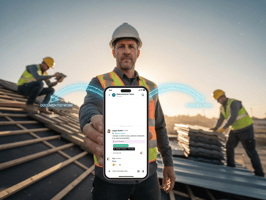
.jpg?width=800&height=600&name=2%20(2).jpg)
Manual Approach:
- A printed checklist on a clipboard
- Crew handwrites "Complete" and signs
- Supervisor takes a few pictures on their phone
- Client gets a call saying "We're done"
Digital with TaskTag:
- Crew checks off each digital task tied to the roof replacement template
- Photos required for each phase (underlayment, flashing, ridge)
- Time-stamped, GPS-tracked activity logs captured automatically
- TaskTag generates a branded report with comments and photos to email directly to the client
Pro Tips for Moving From Manual to Digital
- Start with One Workflow – Convert just a checklist or photo log process first.
- Involve the Crew – Let your field team test the mobile app during installations.
- Use Templates – Save time by replicating successful workflows.
- Back It Up With Training – Host a short demo day or provide a how-to guide using TaskTag’s onboarding support.
Frequently Asked Questions (FAQ)
Q: Do I have to be tech-savvy to use digital tools like TaskTag?
A: Not at all. TaskTag is designed to be simple for the field and the office. If your team can text, they can use TaskTag.
Q: What if I only want to use it for photos and task tracking?
A: That’s a perfect place to start. Many GCs begin with basic photo documentation and checklists before expanding.
Q: Does this replace project management platforms I already use?
A: TaskTag can work with or without other platforms, depending on your needs. We're purpose-built for the field, not just the office.
Q: What makes TaskTag better than general time tracking software or Dropbox folders?
A: TaskTag combines all your tools in one place: tasks, check-ins, images, inspection records, and reporting — designed specifically for contractors.
Q: Can I customize my tools based on my trade or crew size?
A: Yes! Whether you’re managing roofers, drywall installers, or landscaping teams, you can build your own templates, crews, roles, and flows.
Ready to leave the clipboard behind — and bring your building tools into 2026?
👉 Book your free demo of TaskTag today
.png?height=200&name=1%20(47).png)